Test your Open Banking integration in Sandbox first, then in Production before going live.Documentation Index
Fetch the complete documentation index at: https://docs.augustus.com/llms.txt
Use this file to discover all available pages before exploring further.
Sandbox testing
You can test your Augustus integration using sandbox banks with fake login data and the built-in Sandbox Tools. This lets you simulate every flow (success, failure, refunds, and more) before going live.1. Test checkout flows with sandbox banks
Create a checkout session in sandbox and visit the redirect URL to see available sandbox banks. Follow the instructions below with the provided credentials to test a range of flow types.| Bank | Country | Currency | Schemes | Credentials | Instructions |
|---|---|---|---|---|---|
| Test Bank market | Any | Any | SEPA Credit, SEPA Instant | Username: randomPassword: randomOTP: random | For success enter any OTP For failure enter OTP = 666 |
| Deutsche Bank Sandbox | DE | EUR | SEPA Credit, SEPA Instant | IBAN: DE17215730140403340300Account Holder Name: randomBranch: 615Account: 4033403 | 1€ for success 100€ for failure |
| KD Bank Sandbox | DE | EUR | SEPA Credit, SEPA Instant | IBAN: DE39499999600000005111Account Holder Name: randomCustomer ID: VRK1234567890ALLpassword: passwordSCA method: MobileSCA code: 123456 | For success select any SCA method and use the SCA code 123456 if it asks for one |
| Natwest Sandbox | GB | GBP | Faster Payments | Username: 123456789012Password: displayed on screen | |
| BBVA Sandbox | ES | EUR | SEPA Credit, SEPA Instant | IBAN: ES2501822200160201933547username: user1password: 1234SCA code: 123456 | To trigger failure click “Cancel” → “Aceptar” in bank UI |
| Alior Sandbox | PL | EUR | Elixir, SEPA Credit | username: 60370698password: 12345678 | Approve payment in bank interface - simulates delayed bank update |
| PKO BP Sandbox | PL | EUR | Elixir, SEPA Credit | n/a | Use buttons in the bank UI to set the desired outcome: Sukces → Success |
2. Simulate successful payins with Sandbox Tools
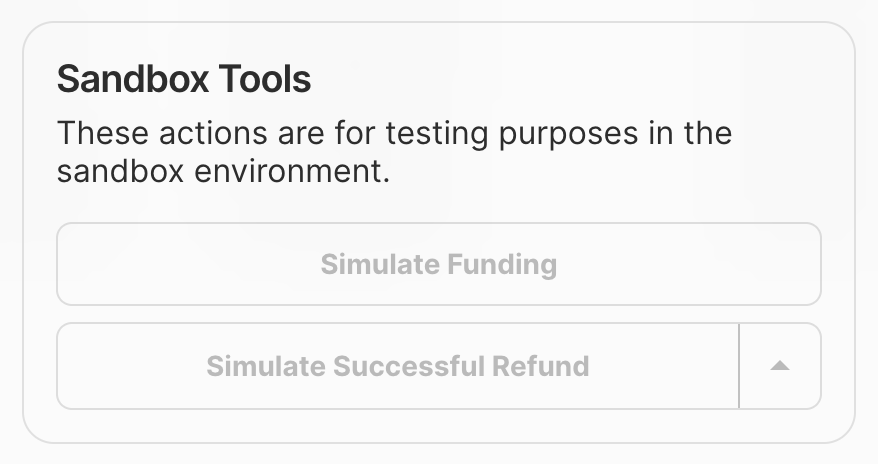
When Test Mode is activated, you get access to Sandbox Tools in the dashboard to simulate successful payins and refunds.Open the order in the dashboard
Find your payment in the Orders table and click it for the detailed view.

These simulations don’t work if you have direct settlement enabled.
3. Simulate incoming transactions manually
- Turn on test mode.
- In the Deposits tab, press Create deposit.
- Simulate a fiat manual bank transfer or USDC deposit with any amount.
If you don’t have the Deposits feature enabled, this triggers an automatic return. Speak to your account manager to configure it.
Production testing
Once you’ve tested in sandbox, switch to production. Toggle off test mode in the Dashboard and use your live API keys.Recommended test cases
| Test case | Description | Expected outcome |
|---|---|---|
| Successful payments from multiple banks | Test payments from 4+ banks with different amounts | Payments succeed and webhooks are received |
| User cancels the flow | Cancel the payment flow during bank authentication for 2+ banks | Payments fail with the appropriate failure reason |
| Insufficient funds | Attempt a payment from an account with insufficient funds | Payment fails with the insufficient_funds failure reason |