

Instant Bank Transfer is available only in the 2023-01-01 API.
Integration flow
1
Create a Checkout Session
Submit payment parameters and receive a
redirectUrl.2
Redirect the customer
Send the customer to
redirectUrl for the Augustus-hosted bank selection and authorization screens.3
Return to your app
The customer lands back at your
successCallbackUrl or errorCallbackUrl.4
Track the order
Subscribe to
order_updated webhooks for real-time status.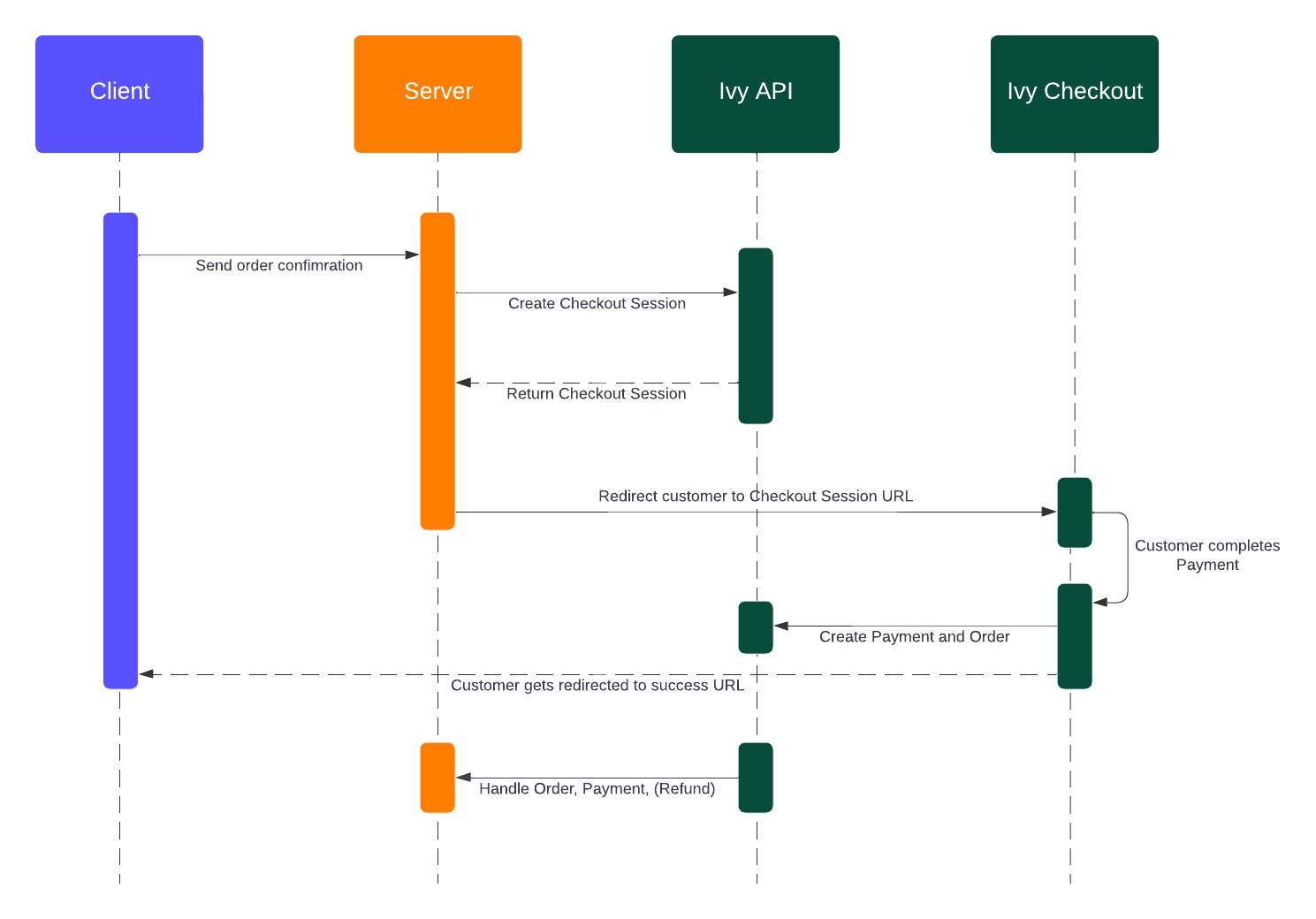
Instant Bank Transfer sequence diagram
Create a Checkout Session
2023-01-01
/api/service/checkout/session/create in the API Reference →
Configuration options
Redirect the customer
Redirect the customer tosession.redirectUrl. To embed instead of redirect, see Client integration.
Handle the return
The customer lands at yoursuccessCallbackUrl or errorCallbackUrl with these query parameters:
When
user_closed is true, you can expire the Checkout Session with client.checkoutsession.expire({ id }) to trigger webhooks and update your internal state.
Track the order
When the customer completes payment, the Checkout Session isclosed and a new order is created. Subscribe to order_updated and handle these statuses:
server/routes/webhooks.ts
statusClassification, and Webhooks for setup and signature verification.
Client integration
Recommended integration per platform:- Desktop web — embed via the React SDK or an iframe.
- Mobile web — redirect to the Augustus-hosted checkout.
- Mobile native — open the Augustus-hosted checkout in the user’s default browser; return via deep linking.
Backend setup
Create a server-side endpoint that initiates a Checkout Session and returns theredirectUrl to your frontend.
server/routes/checkout.ts
Desktop web
Use the React SDK to embed the checkout in your page.React SDK
1
Install the SDK
2
Create the checkout component
components/IvyCheckout.tsx
3
Add styling
styles/ivy-checkout.css
Plain HTML (without the SDK)
If you can’t use React, render the iframe directly. The iframe communicates with your page viapostMessage.
checkout.html
postMessage with the following fields:
Mobile web
On mobile, redirect to the Augustus-hosted checkout. An iframe breaks the flow when the customer moves to and from their banking app.successCallbackUrl and errorCallbackUrl you pass to the Checkout Session point to pages on your site where the user lands after the bank flow completes.
Mobile native
Open the checkout in the user’s default browser. Do not use a WebView — it breaks bank authentication, deep linking, SSL, and session handling.Open the checkout
Deep linking back to your app
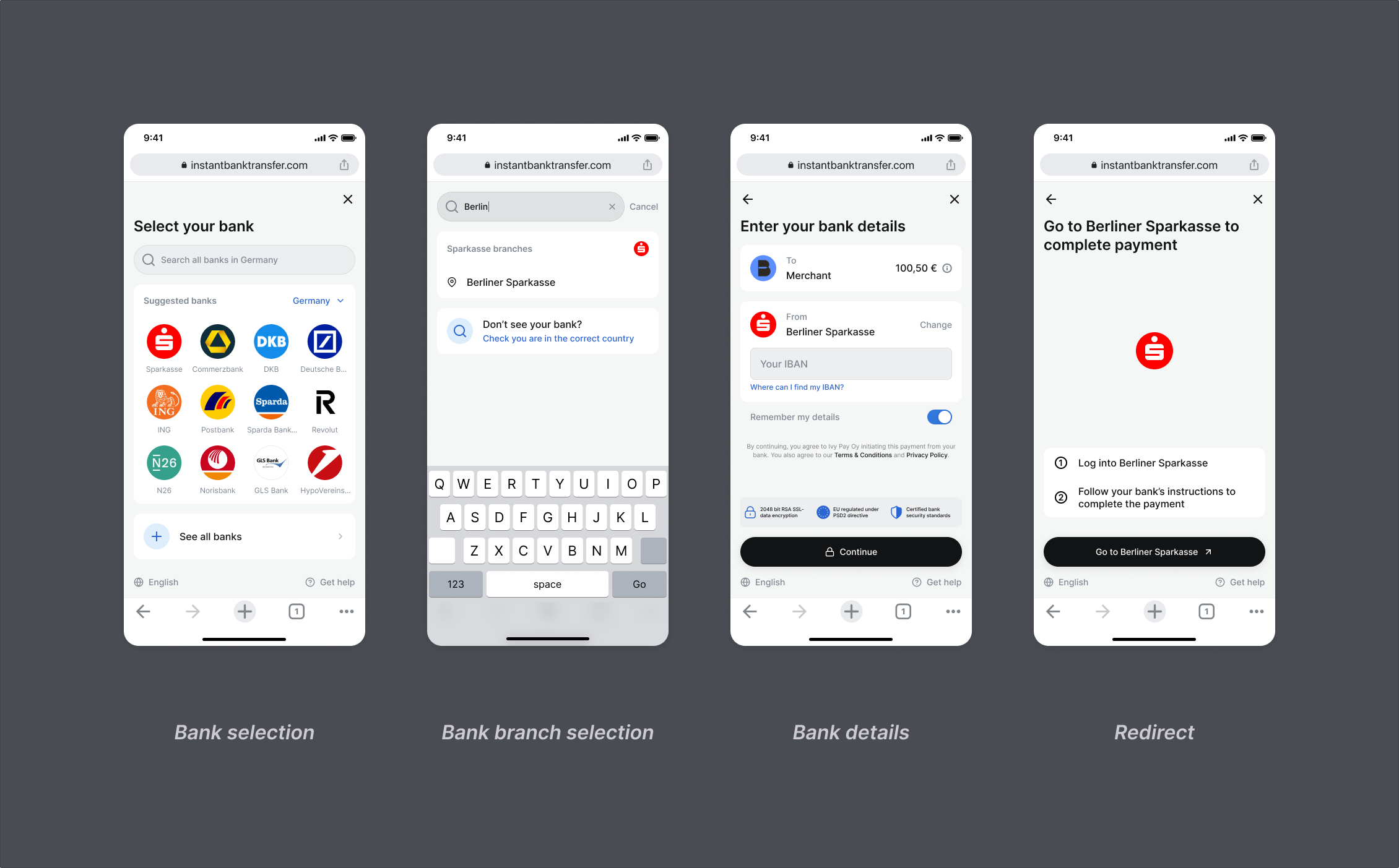
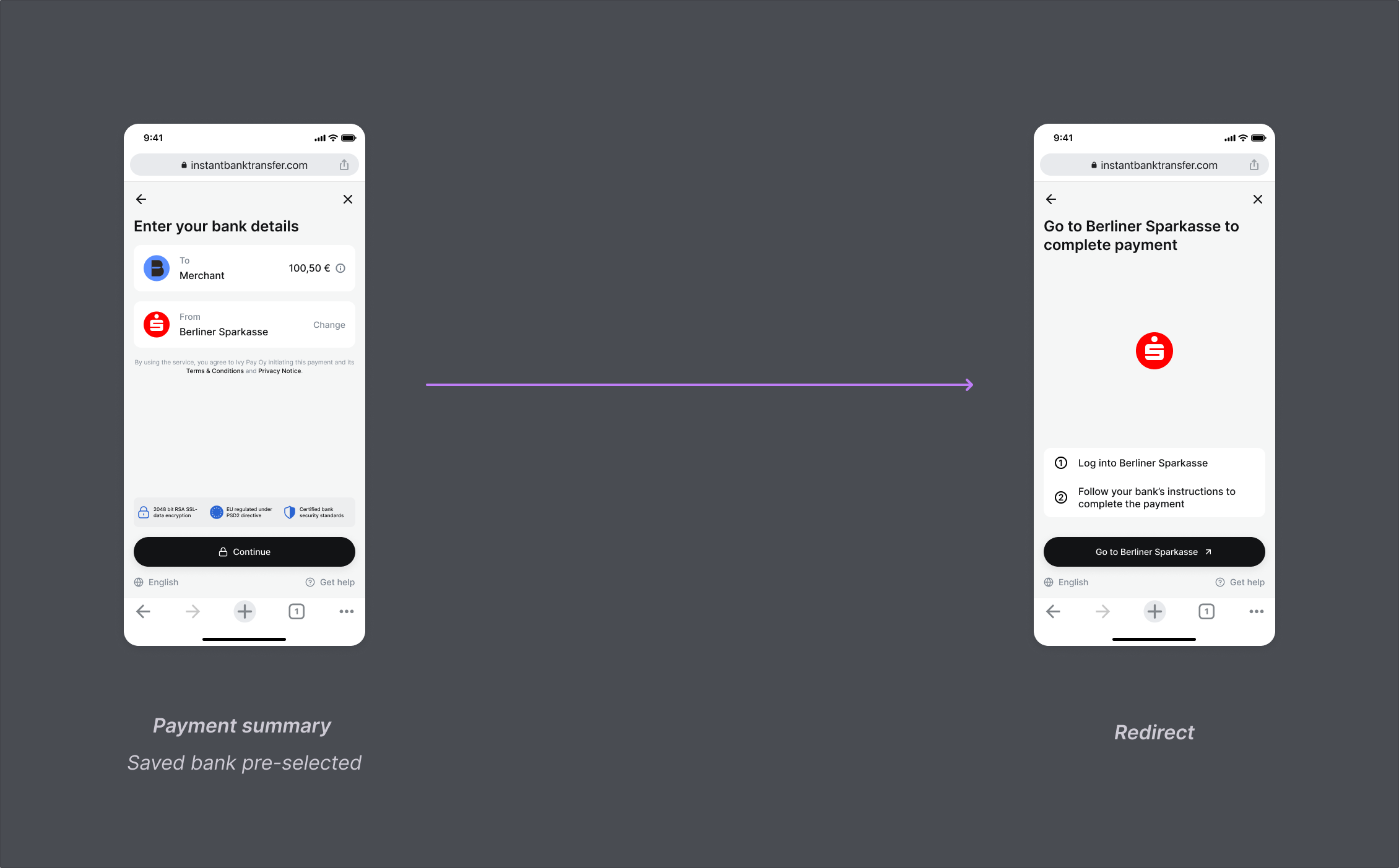
Configure deep linking so the user returns to your app after payment:Remember Me
Pass acustomer.email or a stored customer.id on each Checkout Session. Augustus recognizes the returning customer and skips bank selection.
First-time flow
Recurring flow
Pass a customer email
2023-01-01
Status flow
Augustus tracks Instant Bank Transfer and Manual Bank Transfer payments through theorder.status field. Poll the order or subscribe to order_updated webhooks — status values are identical in both.
2023-01-01
Statuses
Failure reasons
When an order fails or is canceled, theorder_updated webhook includes a statusClassification object with a broad primary category and a specific secondary reason.
Primary classifications
Secondary classifications
See Webhooks for setup and signature verification.
Closed-loop payouts
Pay out to a customer from a previous checkout by referencing their order ID instead of bank details:2023-01-01
/api/service/payout in the API Reference →