

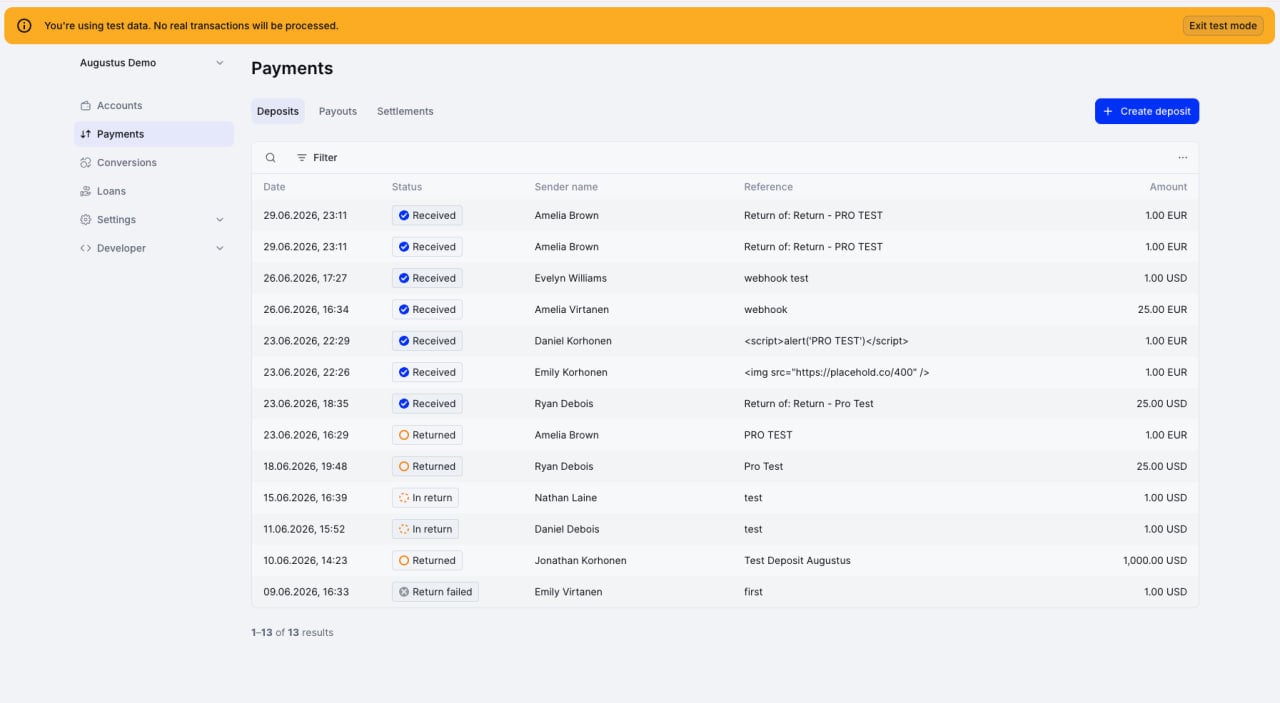
Use Test Mode
1
Enable Test Mode
Toggle Test Mode in the user menu of the Dashboard.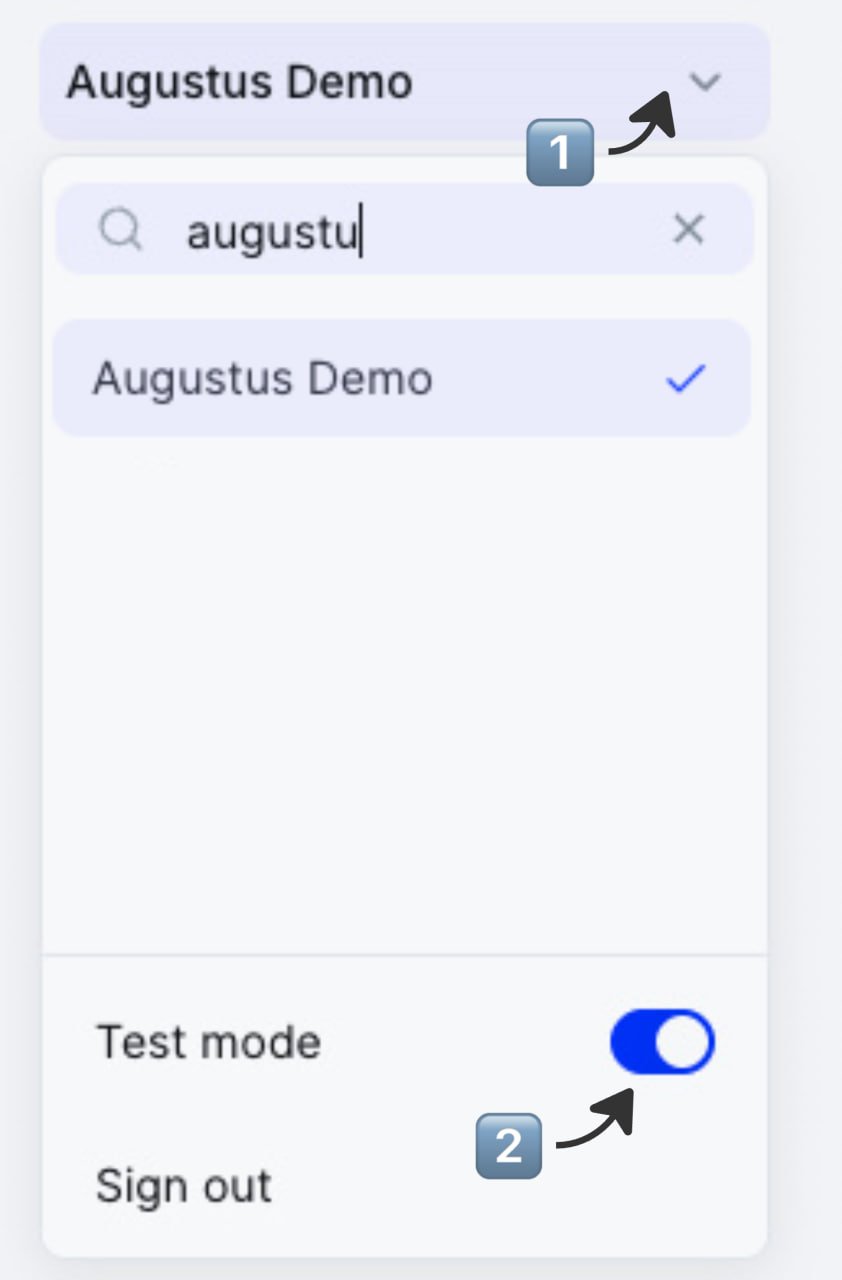
2
Use test API keys
Find and generate your test API key under Developer → Secrets. Use it with the sandbox base URL — see the API reference for URLs.
3
Simulate activity
Simulate a deposit in the Dashboard under Payments → Deposits → [+ Create deposit] to trigger test payments in the desired account.
Ensure you have turned off auto-returns under Settings → Money for payments to arrive in your account.
Ensure you have turned off auto-returns under Settings → Money for payments to arrive in your account.
4
Go live
Once your account is activated, switch off Test Mode and generate live API keys.
The Test Mode toggle in the Dashboard does not affect your integration. Your API keys and base URL determine which mode you’re in.
Test a payout
1
Create a payout via the API
Use any destination.
2
Open Sandbox Tools
Open the payout in its detail view.
3
Set the outcome
Toggle success or failure. Verify status and webhooks.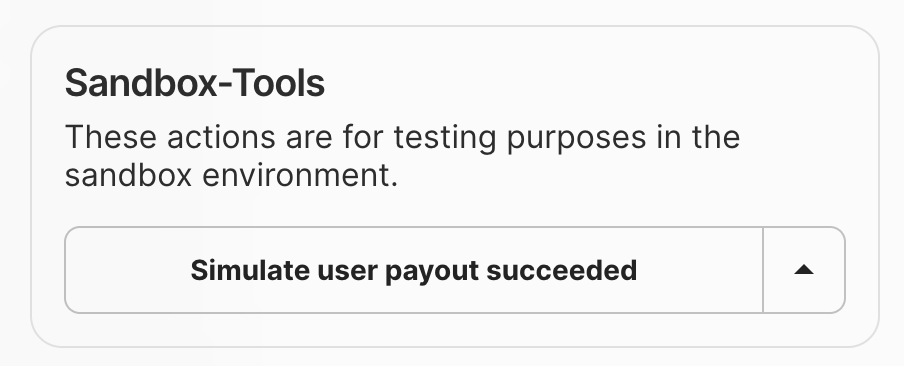
Sandbox tools in the details view of a payout
Simulate outgoing transactions manually
Under the Simulations tab in the Developer section, create outgoing transactions with any amount, external reference, and status.Test a return
1
Initiate a return
Initiate a return via API or manually from the Augustus Dashboard.
2
Initiate a return from the Dashboard
Find the deposit and open its detail view to access Sandbox Tools.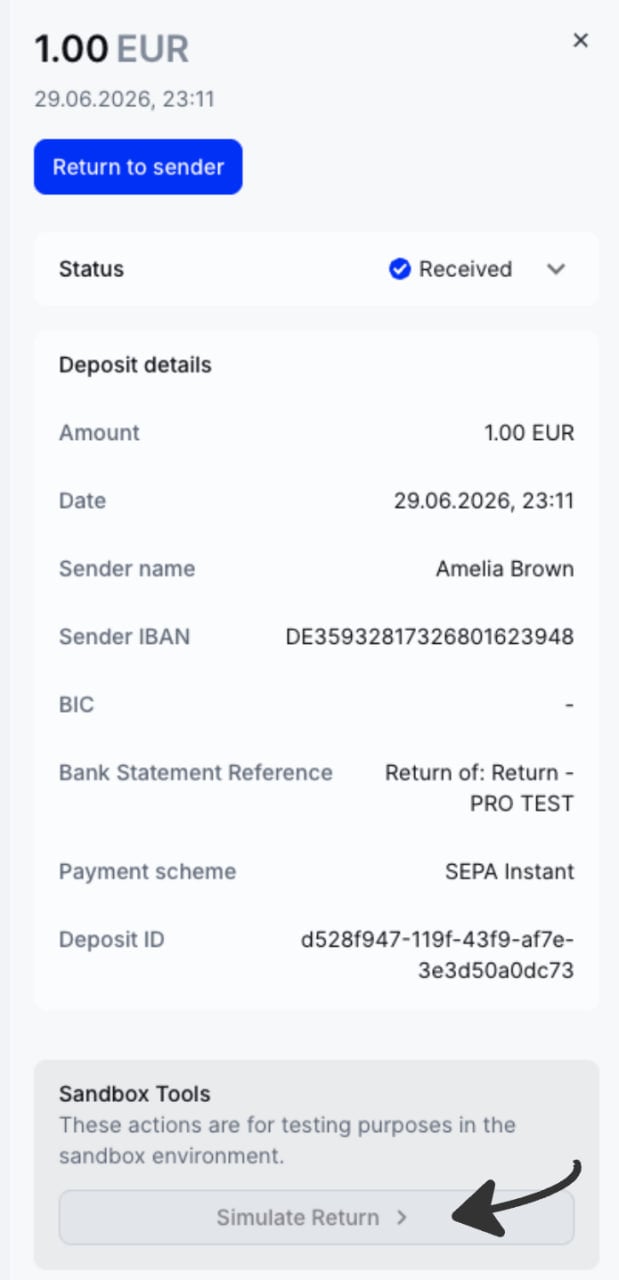
Production
Switch to live API keys and start with small amounts.What’s next
- Sandbox base URLs: 2026-05-01 / 2023-01-01.
- Webhooks: 2026-05-01 / 2023-01-01.
- Test your Open Banking integration (2023-01-01 users only).