> ## Documentation Index
> Fetch the complete documentation index at: https://docs.augustus.com/llms.txt
> Use this file to discover all available pages before exploring further.
> ## Agent Instructions
> Treat the published Augustus OpenAPI specification (https://app.stainless.com/api/spec/documented/augustus/openapi.documented.yml) and the current API-reference pages as the source of truth for endpoints, request/response schemas, enum values, webhook event names, and required headers.
> Prefer the 2026-05-01 Banking API and @augustusbank/typescript-sdk for all new integrations. The 2023-01-01 API is a separate, older surface covering two products — Open Banking (instant bank transfer) checkout and refunds, and Manual Bank Transfer (MBT); use it only when one of those products is specifically required.
> Cite or link the relevant docs.augustus.com page when answering integration questions.
> Do not infer support for currencies, networks, scopes, account types, or operations that are not present in the current documentation.
> Use the sandbox base URL (https://api.sandbox.augustus.com) and placeholder credentials in examples. Never include or request a real API key.
> The Augustus docs MCP server (https://docs.augustus.com/mcp) provides documentation search and retrieval only; it does not execute authenticated Augustus API actions.
# Test your integration
Test with sandbox banks and Sandbox Tools before going live.
## Sandbox
### Test checkout flows with sandbox banks
Create a Checkout Session in sandbox and visit the `redirectUrl`. Use the credentials below to test each flow.
| Bank | Country | Currency | Schemes | Credentials | Instructions |
| --------------------- | ------- | -------- | ------------------------- | ---------------------------------------------------------------------------------------------------------------------------------------------------------------------------------- | ----------------------------------------------------------------------------- |
| Test Bank market | Any | Any | SEPA Credit, SEPA Instant | Username: `random`
Password: `random`
OTP: `random` | For success, enter any OTP.
For failure, enter OTP = `666`. |
| Deutsche Bank Sandbox | DE | EUR | SEPA Credit, SEPA Instant | IBAN: `DE17215730140403340300`
Account Holder Name: `random`
Branch: `615`
Account: `4033403` | €1 for success
€100 for failure |
| KD Bank Sandbox | DE | EUR | SEPA Credit, SEPA Instant | IBAN: `DE39499999600000005111`
Account Holder Name: `random`
Customer ID: `VRK1234567890ALL`
Password: `password`
SCA method: `Mobile`
SCA code: `123456` | For success, select any SCA method and use SCA code `123456` if prompted. |
| NatWest Sandbox | GB | GBP | Faster Payments | Username: `123456789012`
Password: displayed on screen | |
| BBVA Sandbox | ES | EUR | SEPA Credit, SEPA Instant | IBAN: `ES2501822200160201933547`
Username: `user1`
Password: `1234`
SCA code: `123456` | To trigger failure, click **Cancel → Aceptar** in the bank UI. |
| Alior Sandbox | PL | EUR | Elixir, SEPA Credit | Username: `60370698`
Password: `12345678` | Approve the payment in the bank interface — simulates delayed bank update. |
| PKO BP Sandbox | PL | EUR | Elixir, SEPA Credit | n/a | Use buttons in the bank UI to set the desired outcome (**Sukces** → success). |
### Simulate a paid order
The order starts in `processing`.
Find it in the Orders table.
Status updates to `paid` and a webhook fires.
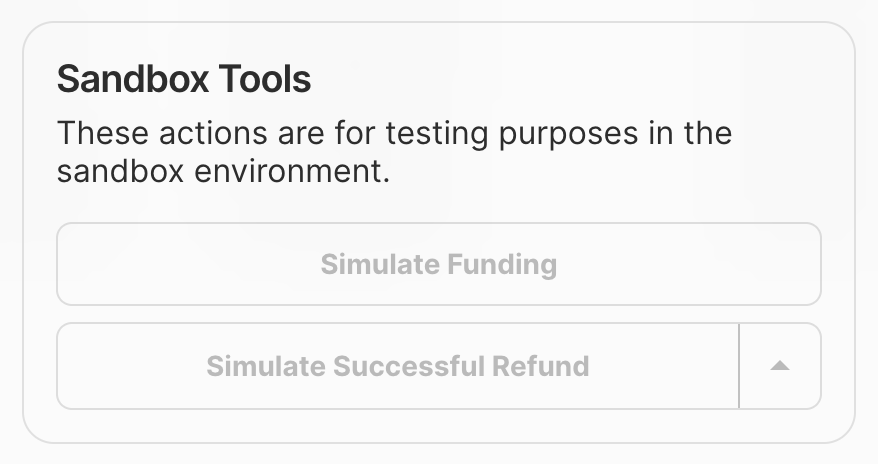 Simulation is not available with direct settlement enabled.
## Production
Switch to your live API keys once sandbox testing is complete.
Production uses real money. Start with small amounts.
### Recommended test cases
| Test case | Expected outcome |
| --------------------------------- | ------------------------------------------------------- |
| Successful payments from 4+ banks | Orders reach `paid` and webhooks are received. |
| Customer cancels at the bank | Order `failed` with `payment_abandoned` classification. |
| Insufficient funds | Order `failed` with `insufficient_funds`. |
Simulation is not available with direct settlement enabled.
## Production
Switch to your live API keys once sandbox testing is complete.
Production uses real money. Start with small amounts.
### Recommended test cases
| Test case | Expected outcome |
| --------------------------------- | ------------------------------------------------------- |
| Successful payments from 4+ banks | Orders reach `paid` and webhooks are received. |
| Customer cancels at the bank | Order `failed` with `payment_abandoned` classification. |
| Insufficient funds | Order `failed` with `insufficient_funds`. |