> ## Documentation Index
> Fetch the complete documentation index at: https://docs.augustus.com/llms.txt
> Use this file to discover all available pages before exploring further.
> ## Agent Instructions
> Treat the published Augustus OpenAPI specification (https://app.stainless.com/api/spec/documented/augustus/openapi.documented.yml) and the current API-reference pages as the source of truth for endpoints, request/response schemas, enum values, webhook event names, and required headers.
> Prefer the 2026-05-01 Banking API and @augustusbank/typescript-sdk for all new integrations. The 2023-01-01 API is a separate, older surface covering two products — Open Banking (instant bank transfer) checkout and refunds, and Manual Bank Transfer (MBT); use it only when one of those products is specifically required.
> Cite or link the relevant docs.augustus.com page when answering integration questions.
> Do not infer support for currencies, networks, scopes, account types, or operations that are not present in the current documentation.
> Use the sandbox base URL (https://api.sandbox.augustus.com) and placeholder credentials in examples. Never include or request a real API key.
> The Augustus docs MCP server (https://docs.augustus.com/mcp) provides documentation search and retrieval only; it does not execute authenticated Augustus API actions.
# Test mode
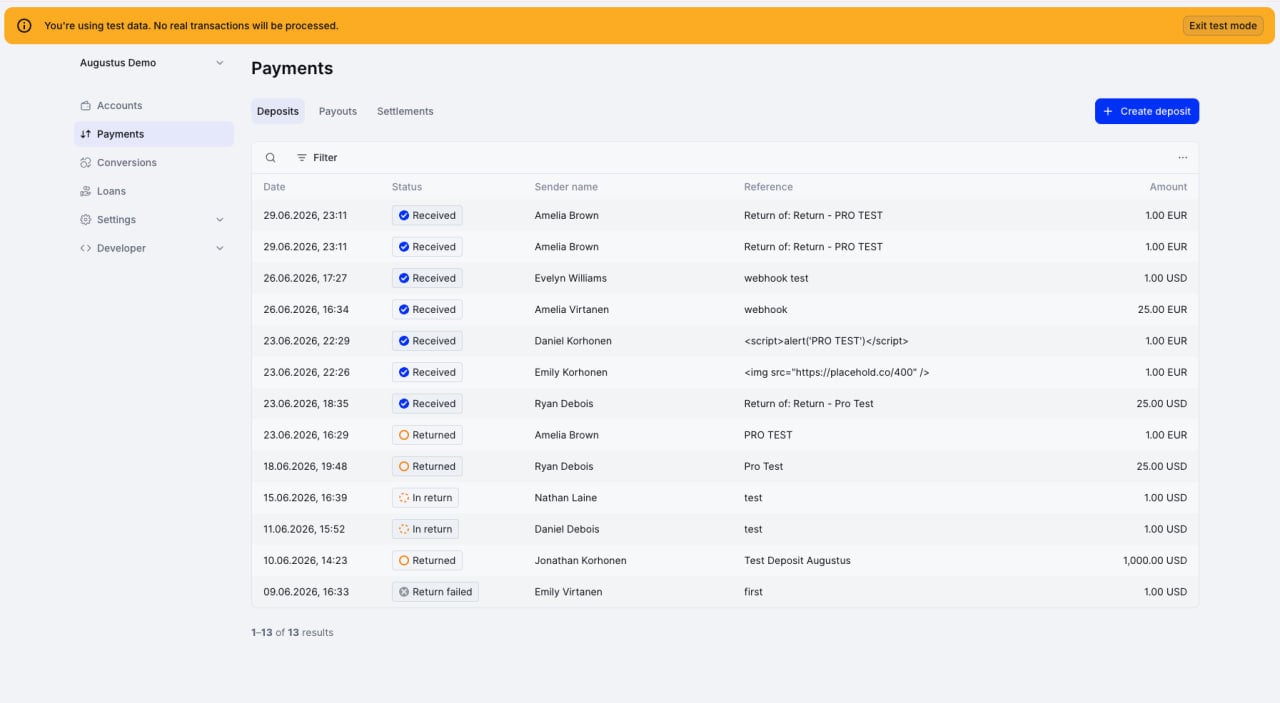
> Use Test Mode to test your Augustus integration before going live with payments.
Test Mode gives you test API keys and a sandbox where you can simulate deposits, payouts, refunds, and orders without moving real money.
 ## Use Test Mode
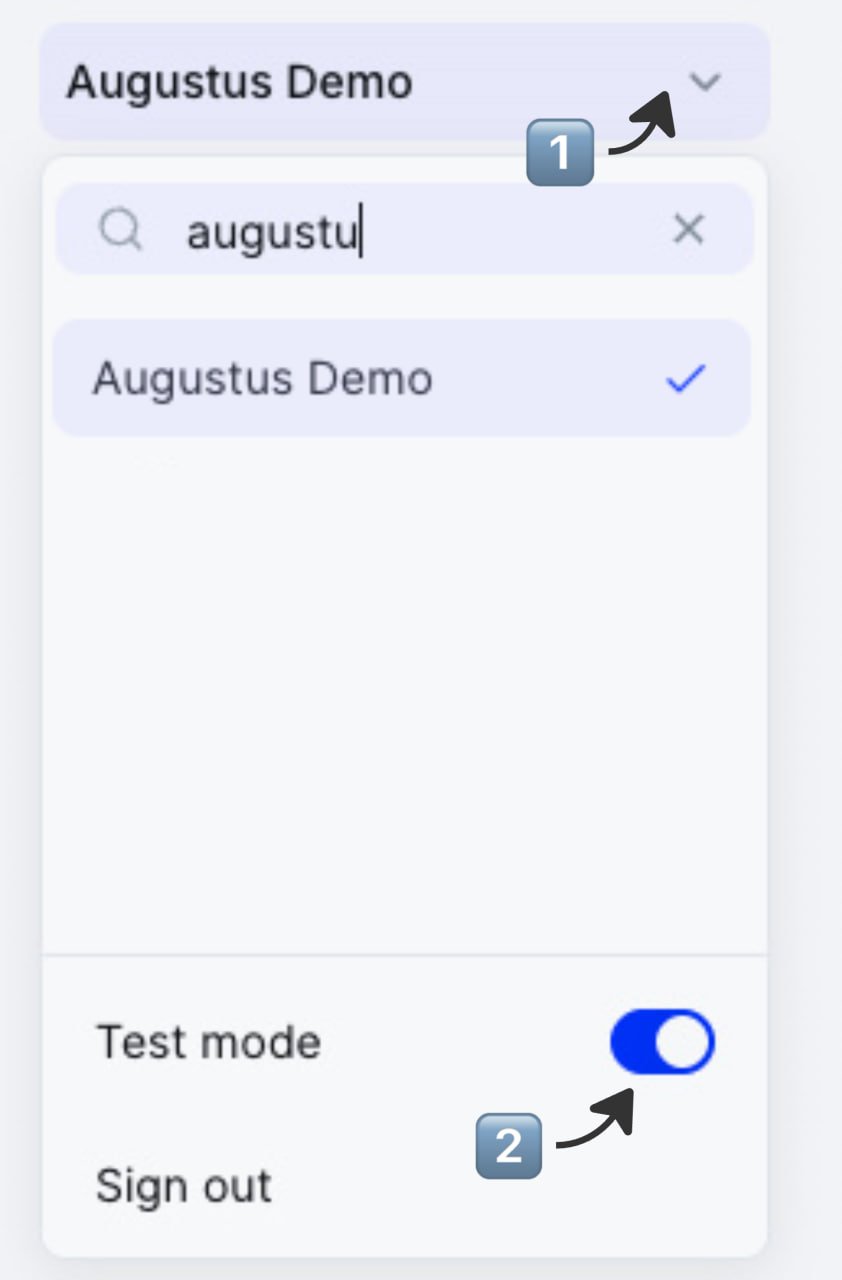
Toggle **Test Mode** in the user menu of the Dashboard.
## Use Test Mode
Toggle **Test Mode** in the user menu of the Dashboard.
 Find and generate your test API key under **Developer → Secrets**. Use it with the sandbox base URL — see the API reference for URLs.
Simulate a deposit in the Dashboard under **Payments → Deposits → \[+ Create deposit]** to trigger test payments in the desired account.
Find and generate your test API key under **Developer → Secrets**. Use it with the sandbox base URL — see the API reference for URLs.
Simulate a deposit in the Dashboard under **Payments → Deposits → \[+ Create deposit]** to trigger test payments in the desired account.
*Ensure you have turned off auto-returns under **Settings → Money** for payments to arrive in your account.*
Once your account is activated, switch off Test Mode and generate live API keys.
The Test Mode toggle in the Dashboard does not affect your integration. Your API keys and base URL determine which mode you're in.
## Test a payout
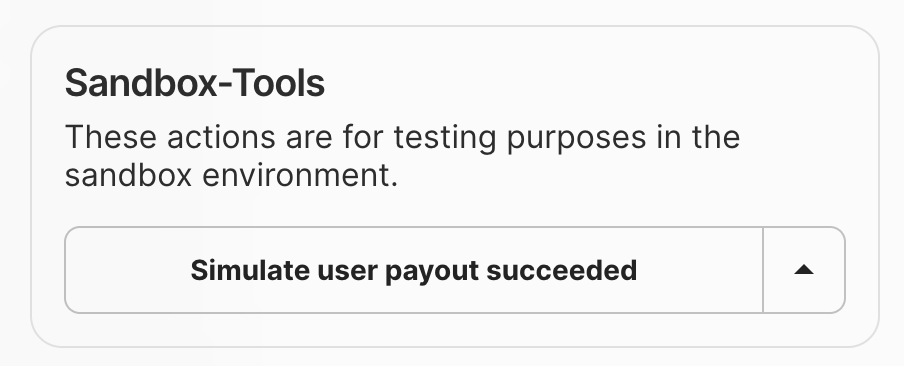
Use any destination.
Open the payout in its detail view.
Toggle success or failure. Verify status and webhooks.
 ## Simulate outgoing transactions manually
Under the **Simulations** tab in the Developer section, create outgoing transactions with any amount, external reference, and status.
## Test a return
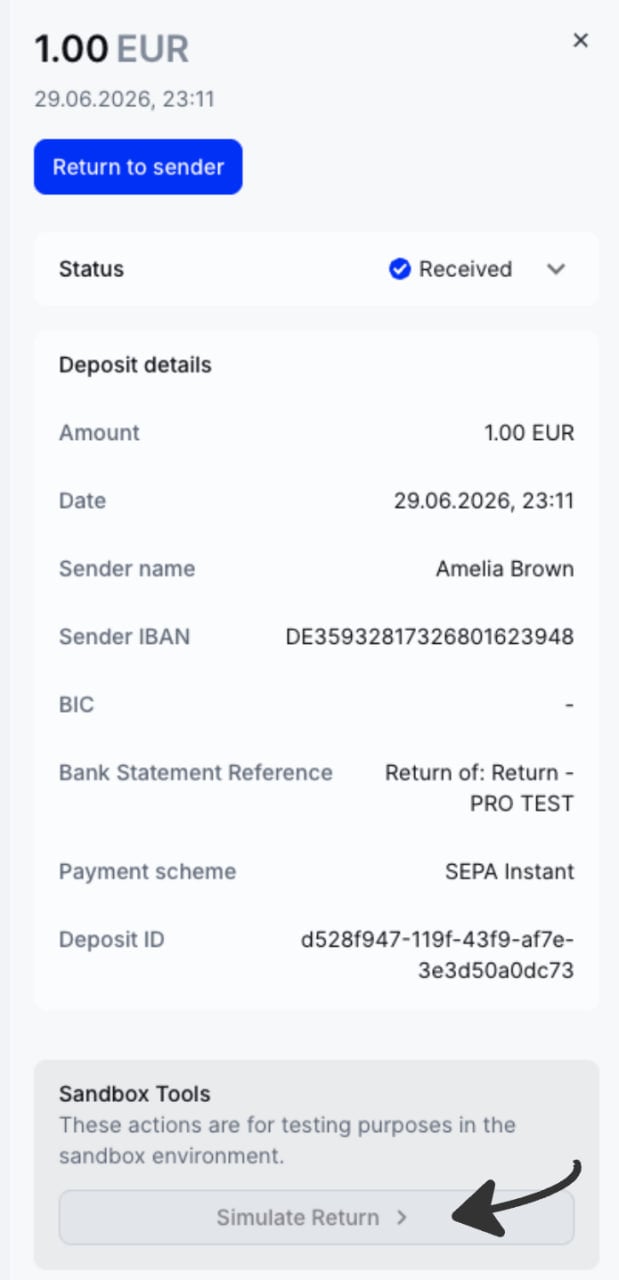
Initiate a return via API or manually from the Augustus Dashboard.
Find the deposit and open its detail view to access Sandbox Tools.
## Simulate outgoing transactions manually
Under the **Simulations** tab in the Developer section, create outgoing transactions with any amount, external reference, and status.
## Test a return
Initiate a return via API or manually from the Augustus Dashboard.
Find the deposit and open its detail view to access Sandbox Tools.
 ## Production
Switch to live API keys and start with small amounts.
## What's next
* Sandbox base URLs: [2026-05-01](/v1/introduction) / [2023-01-01](/reference/introduction).
* Webhooks: [2026-05-01](/v1/webhooks) / [2023-01-01](/webhook-getting-started/introduction).
* [Test your Open Banking integration](/docs/payin/instant-bank-transfer/test-your-integration) (2023-01-01 users only).
## Production
Switch to live API keys and start with small amounts.
## What's next
* Sandbox base URLs: [2026-05-01](/v1/introduction) / [2023-01-01](/reference/introduction).
* Webhooks: [2026-05-01](/v1/webhooks) / [2023-01-01](/webhook-getting-started/introduction).
* [Test your Open Banking integration](/docs/payin/instant-bank-transfer/test-your-integration) (2023-01-01 users only).